This guide breaks down exactly when credits are used, how many are consumed, and how to avoid unnecessary usage.
How Credits Work (General Rules)
Before diving into each search type, keep these core rules in mind:
- You can preview search results without spending credits
Credits are only used when:
- A record is added to a list, and
- The record contains at least one email address
- No email = no credits used
- Multiple emails on one record often count as a single credit
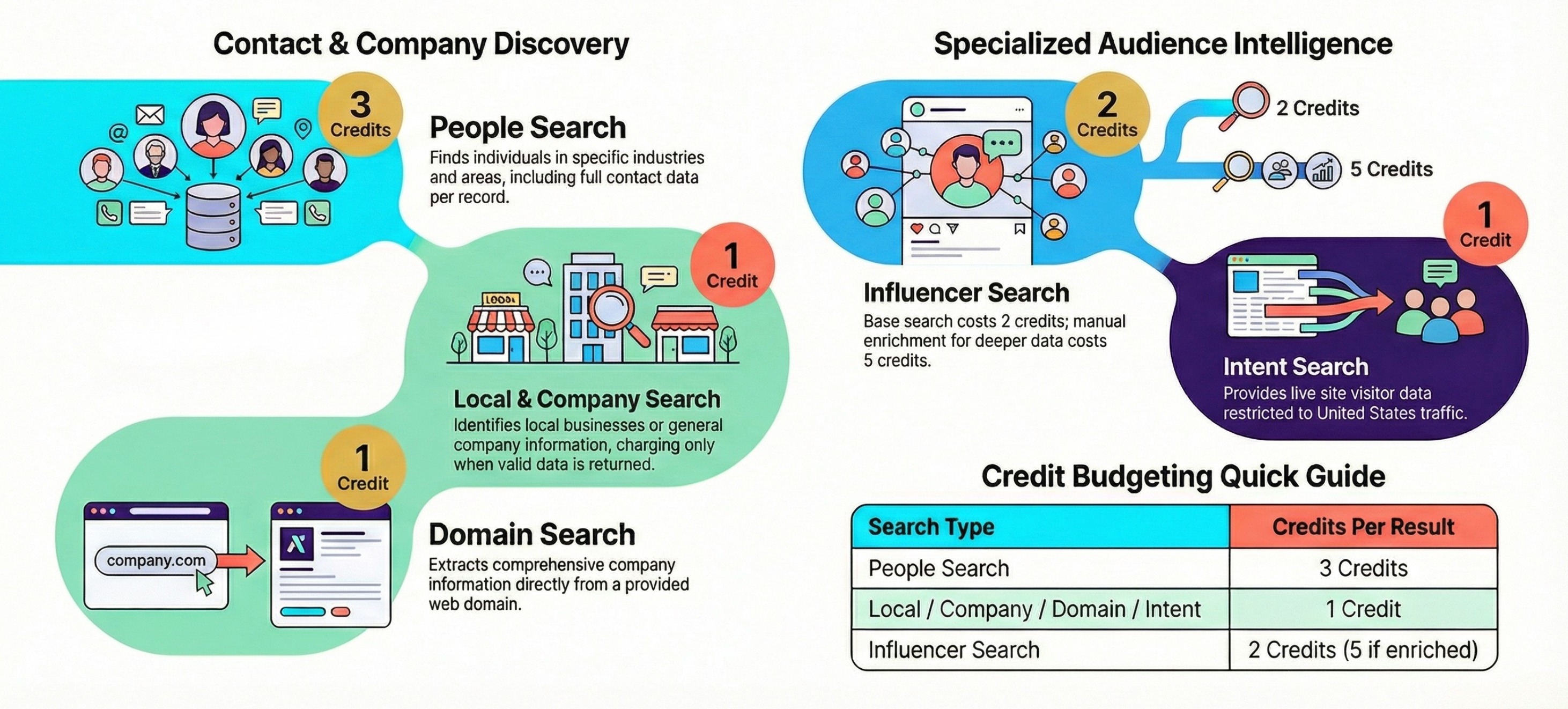
People Search — Credit Details
Use Case: Finding individuals such as founders, executives, or decision-makers.
What Triggers Credit Usage
- Credits are used only when a person is added to a list
- The person must have at least one email address
Credit Cost
- 3 credits per person
When Credits Are NOT Used
- Viewing search results only
- Person is not added to a list
- No email address is found
Important Notes
- Job title and role are sourced from LinkedIn profiles
- This search is ideal for high-value, targeted outreach
Local Search — Credit Details
Use Case: Finding local businesses within a specific city, region, or area.
What Triggers Credit Usage
- Results are automatically added to your list
- Credits apply only if an email address exists
Credit Cost
- 1 credit per business
When Credits Are NOT Used
- No email address available
Bonus Advantage
- If a business has multiple email addresses, you are still only charged 1 credit total
- All additional emails are included at no extra cost
Company Search — Credit Details
Use Case: Finding companies and the people working within them.
What Triggers Credit Usage
- Results are automatically added to your list
- Credits apply per contact, not per company
Credit Cost
- 1 credit per contact with an email address
When Credits Are NOT Used
- Contacts without email addresses
Key Difference
- A single company may consume multiple credits if multiple contacts with emails are found
Domain Search — Credit Details
Use Case: Finding contact information tied to a specific website domain.
What Triggers Credit Usage
- Results are automatically added to your list
- Credits apply if an email is discovered
Credit Cost
- 1 credit per domain result
When Credits Are NOT Used
- No email address found for the domain
Best Use Case
- Ideal for reverse prospecting from known websites
Influencer Search — Credit Details
Use Case: Finding influencers for promotions, partnerships, or collaborations.
Base Credit Cost
- 2 credits per influencer record
Optional Enrichment (Additional Credits)
If you choose to enrich an influencer profile with:
- Follower count
- Engagement stats
- Recent posts
- Social performance data
➡ Additional cost: 5 credits per enriched influencer
When Credits Are NOT Used
- If enrichment is not enabled
Tip
- Enrich only high-potential influencers to preserve credits
Credit Usage Summary Table
Best Practices to Save Credits
- Preview results before adding to lists
- Prioritize records with verified emails
- Use Local Search for bulk email value
- Avoid influencer enrichment unless necessary
Final Takeaway
Credits are designed to be:
✔ Predictable
✔ Transparent
✔ Value-driven
You’re only charged when real, usable contact data is delivered — ensuring every credit works toward revenue-generating outreach.
Was this article helpful?
That’s Great!
Thank you for your feedback
Sorry! We couldn't be helpful
Thank you for your feedback
Feedback sent
We appreciate your effort and will try to fix the article