Overview
You can now sort Opportunities using custom fields. Organize your pipeline based on the data that actually matters to your business.
What’s New
- Sort Opportunities using custom fields
- Supported field types: Single Line, Multi Line Text, Dropdown (Single Select), Radio Select, Number, Monetary, Phone, Date
- Works with existing sort functionality
- Available across all pipelines and views
How It Works
- Go to Opportunities
- Click on Sort
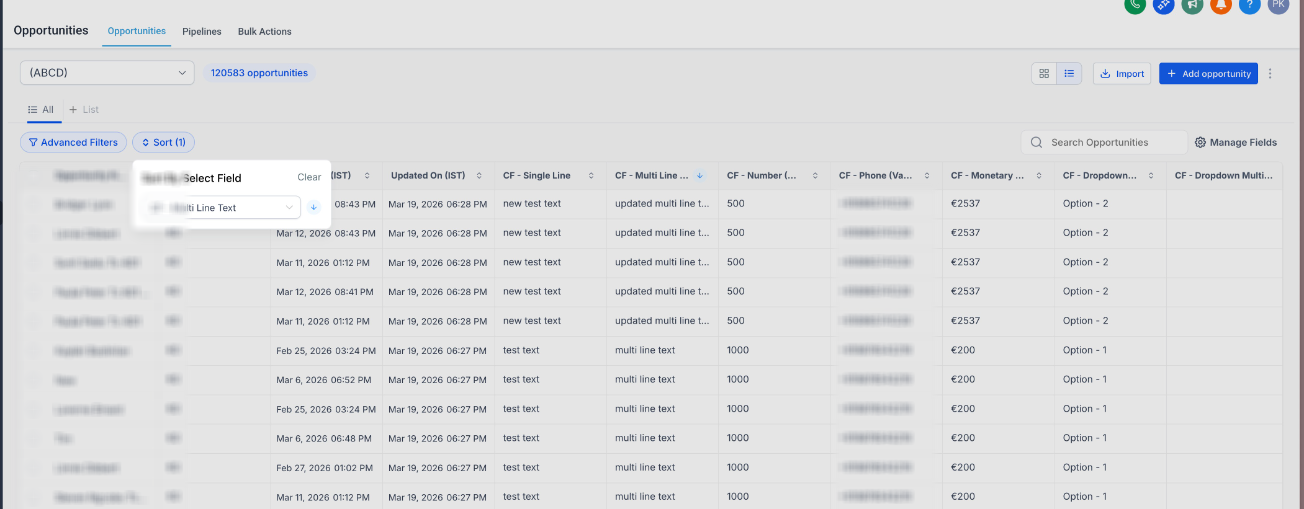
- Select a custom field
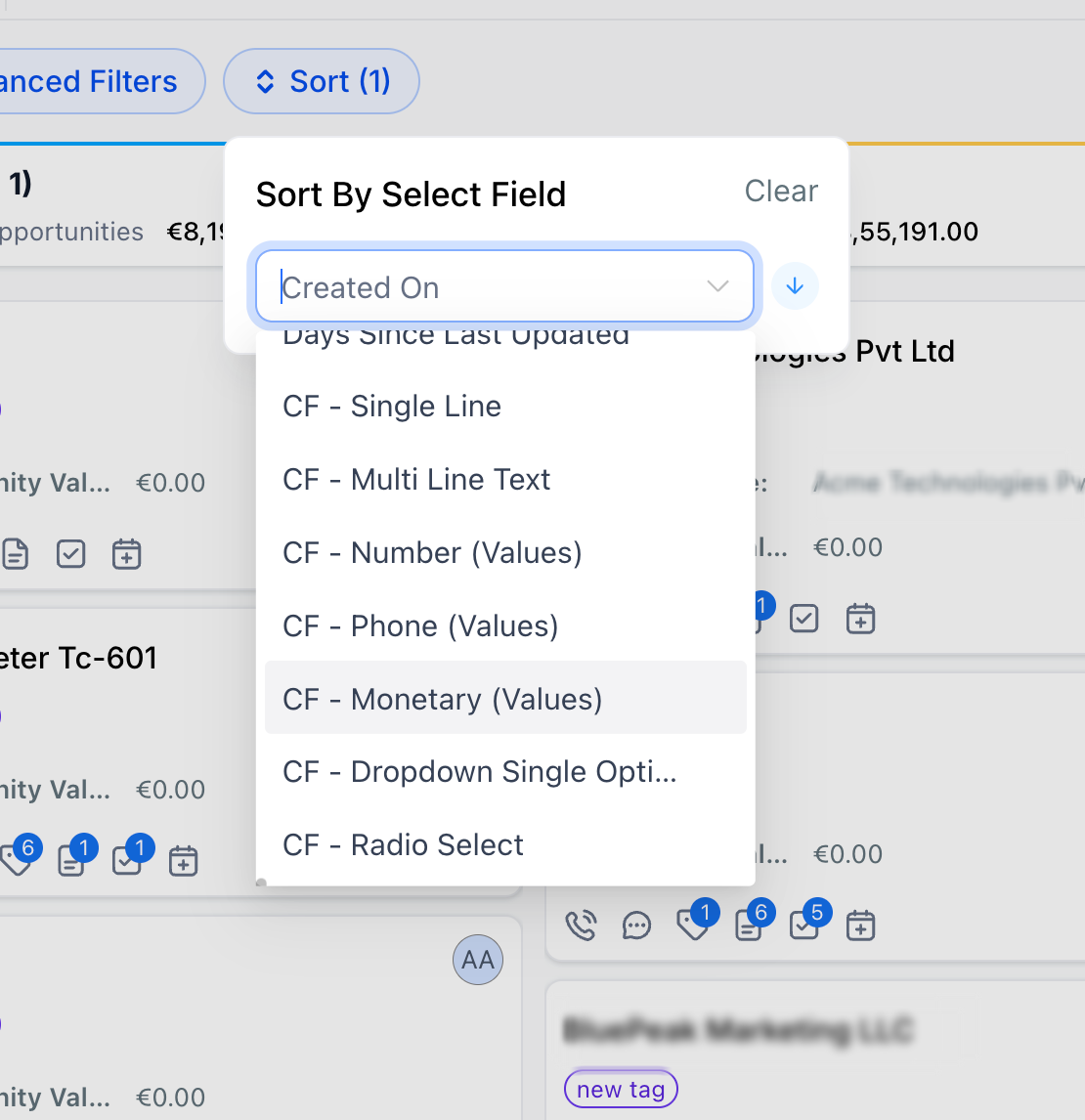
- Choose ascending or descending
- Opportunities reorder instantly
Why It Matters
- Prioritize deals based on your own data
- Reduce manual effort in pipeline management
- Get better visibility into key deal attributes
- Move beyond default-field limitations
Was this article helpful?
That’s Great!
Thank you for your feedback
Sorry! We couldn't be helpful
Thank you for your feedback
Feedback sent
We appreciate your effort and will try to fix the article